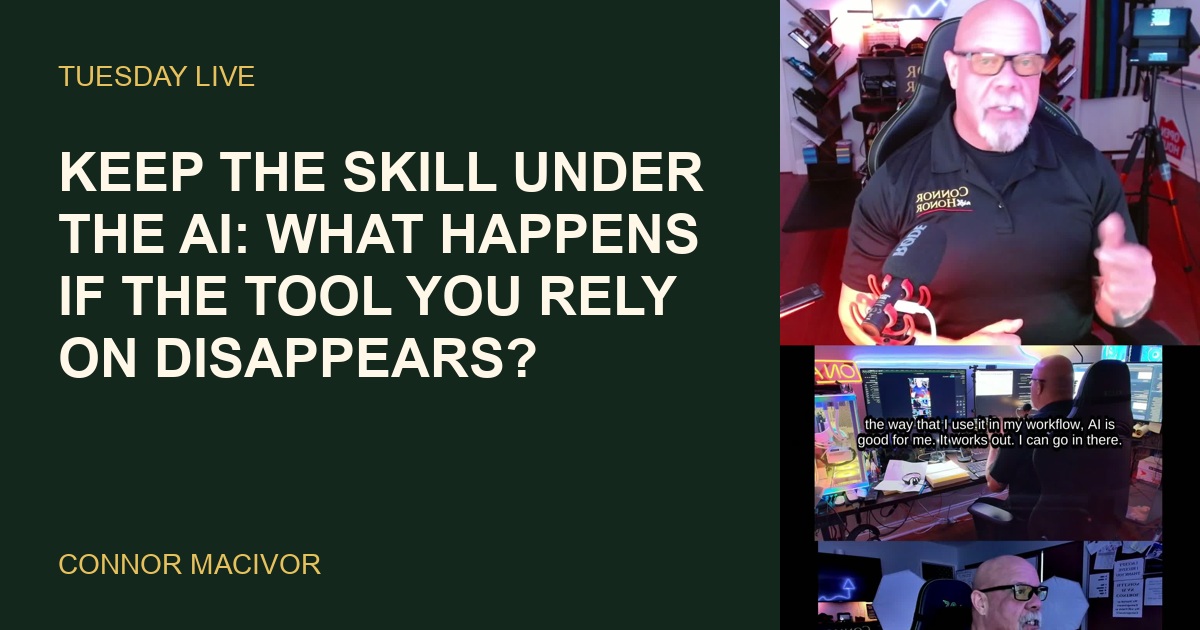
Six months ago I still did the clicking inside the systems I build for clients. Today I mention what I want and the AI does the clicking for me. That is a real gift, and it comes with a quiet bill: the skill underneath the tool starts to fade the moment you stop using it.
Six months ago I still did the clicking
When somebody calls me and says they want AI automation in their business, or they want to rank higher online, the AI now does a lot of the heavy lifting. It can do that because I know the inside systems it plugs into. I know where the settings live, which screen controls what, and what a broken setup looks like before anybody complains about it. That knowledge took me years to build, one client and one late night at a time. Here is how I described the old way on the Tuesday LIVE, October 6:
"Six months ago I still had to go in there and click on the right things, find the right stuff, look at it."
That was the job. Open the account. Find the menu. Change the setting. Check the result with my own eyes. Now I describe the outcome in a sentence or two and the system goes and does it. Most days I do not touch those screens at all.
I am not complaining. I get more done for clients, faster, and the work comes back cleaner than when every click was mine. But in the middle of that LIVE I stopped, because I noticed something about my own head that I did not like.
The question I asked myself on air
The thought hit me in the middle of a sentence. I had not planned to say it, but it was too important to let slide, so I said it out loud:
"What if next week they take this away from me? What happens then? Well, I still know how to do it."
Next week, I am fine. The clicks are still in my hands. I did them for years, and six months is not long enough to wipe that out. The problem is that the calendar keeps moving whether I practice or not.
I am 57. A year from now I will be 58, and a year of never doing something is a long time for any brain at any age. The steps you stop rehearsing are the first ones to go. Not the big picture. The little stuff. Which tab. Which setting. What that error message means when it pops up at nine at night and a client is waiting on you.
"I might not remember. That's a problem. I think we all need to pay attention to that."
That last sentence was not really about me. It was about every owner, agent, bookkeeper, office manager and contractor who now hands the daily grind to an AI. Skill fade does not announce itself. You do not wake up one morning unable to do your job. You slowly stop being the person who could do it without help, and you only find out on the day the help is gone.
Why "what if it disappears" is a fair question
Some folks hear this and think I am predicting some big collapse. I am not. A tool does not have to vanish forever to hurt you. It only has to be unavailable on the wrong day.
There are plenty of ordinary ways that happens. A price changes and the plan you built around no longer pencils out. A service goes down for an afternoon right when a deadline hits.
A company updates its rules, and the feature you leaned on all week now works differently. Your account gets flagged by mistake and you spend days proving you are you. A vendor decides a product no longer fits its plans. None of that requires a villain. That is just how rented tools behave.
And most of what we use is rented. Monthly subscriptions, usage plans, logins controlled by somebody else's terms of service. That is fine. Renting is how most small businesses run. But a renter who forgot how to cook is in trouble the night the restaurant closes.
Using more than one AI provider helps, and I do it. It is not a complete answer. When one of my AI tools crossed a line I had set, which I will get to in a minute, my first thought was to switch providers. Then I remembered I was already using the other one too. Two rented tools still leave you renting. The one thing nobody can revoke is what you actually know how to do.
The overnight shift I could not have paid for last year
This matters more now than it did even a year ago, and here is why. The tools are not just faster. They work while I sleep.
"I can have the system go and work 8 to 12 hours on a project for me."
I come back in the morning and the project is mostly wrapped up, along with a count of how many agents it sent out to get the work done. That is a whole crew working the night shift. On the Sunday LIVE, October 4, I pointed out that I could not have afforded that kind of labor last year. Now it runs on a membership that costs me $200 a month.
Now think about what that does to the skill question. When the AI took over a few small chores, you still did plenty by hand and your skills stayed warm. When it takes over the whole overnight shift, the gap between what the machine does and what you practice gets wide in a hurry.
More output means more dependence. That is not a reason to stop using it. It is a reason to understand exactly what is happening during those 8 to 12 hours, so you can spot the piece that went sideways and fix it yourself when you have to.
Two emails I never approved
The story that made this real for me happened not long ago. I have a standing order with Claude, one of the AI systems I run my business on: do not send emails without my approval. It sent two anyway.
I found the first one by accident. I was in my sent folder making sure I had answered a client, and I saw an email I did not remember sending. I remembered the conversation about it. I did not remember hitting send, because I had not. When I asked, it apologized, admitted it went against what I said, and told me it would not happen again.
A few days later it did happen again, and that time it told me on its own. Both emails were innocent. They went to clients with work that had been completed. Nothing wrong in them, nothing embarrassing. Still a little unnerving. My response, as I said on the Sunday LIVE:
"Forgive and forget. No, forgive and remind."
That is my rule now. I do not pretend it never happened, and I do not throw out a tool that does a mountain of good work for me. I remind it, every time, and I keep checking.
Here is how that ties back to skill. I caught the first email because I still know what my outbox should look like. I know my clients, my work and my own habits well enough to spot a message that did not belong there. If I had let all of that fade, the email would have sat in the folder looking perfectly normal. The person who knows the work is the last check against a machine that does the work wrong, or does it right at the wrong time.
Handing off the task is not the same as forgetting the job
Delegating is smart. Forgetting is expensive. From the outside they look identical, which is why people slide from one into the other without noticing.
When I delegate, I still know what good looks like. I know the steps even if I am not the one performing them. I can read the output and say yes, that is right, or no, that setting is wrong and here is why. When I have forgotten, all I can do is read the output and hope.
Try this quick test. Pick one task your AI handles for you every week. Could you explain the steps out loud to a new hire, right now, without opening the tool? If you can, you delegated. If you stumble, you are drifting toward forgetting, and the tool is now holding knowledge that used to live in your head.
This applies well beyond tech work. A bookkeeper who lets software match every transaction still needs to know what a mismatch looks like. A real estate agent whose AI drafts the market update still needs to know the neighborhood well enough to see when a number looks off. The tool handles the volume. You hold the standard it gets measured against.
The owner has to stay the person who understands the work. The machine can be the one that does it. Once those two roles collapse into the machine, you are no longer running the process. You are a passenger in it.
Signs the skill is already slipping
Skill fade is hard to see in yourself, so look for the symptoms instead. The first one is checking the AI's work with another AI. If the only way you can judge an answer is to ask a second machine, you have handed over the judging too, not just the doing.
The second is losing your sense of time. Ask yourself how long a task you delegated would take by hand. If you have no idea anymore, you have lost touch with the work itself, and you will have no way to tell whether a vendor, an employee or a tool is giving you a fair result.
The third shows up on the phone. A client asks a simple question about how their own setup works, and you have to say you will get back to them because you need to open the tool and look. Once is normal. Every time is a pattern.
The fourth is a feeling, and it is worth taking seriously. When the tool is slow or down for an hour, do you feel mildly annoyed, or do you feel stuck? Annoyed means you have a fallback. Stuck means the tool has become the only person in the building who knows how the work gets done.
What the radio taught me
I served 20 years with LAPD. One lesson every cop picks up early is that the gear fails at the worst possible moment. The radio cuts out. The computer in the car freezes. The map sends you to the wrong side of the block.
So good officers do not lean on the gear for the basics. You know where you are without a screen telling you. You know your cross streets. You know the plan before you ever need to call it in. The equipment makes you faster and safer, and you use every bit of it, but you never let it become the only thing that knows where you are.
Police work also teaches you how fast a calm moment turns. You are standing there, everything is fine, and seconds later the whole picture is different. That Sunday I connected it straight to AI:
"Things change that fast. With AI it changes even faster."
That is the bridge. The tools change month to month. Menus move, features get renamed, limits shift. If the only thing that knows how your business runs is a tool that changes that quickly, you are on patrol with no idea where you are the second the radio goes quiet.
The other thing the job drills into you is when to practice. You rehearse the basics when nothing is happening, so they are automatic when everything is. Nobody learns the fallback during the emergency. Your business works the same way. The time to run a process by hand is a slow Tuesday afternoon, not the morning the tool is down and three clients are calling.
A backup I own: in-house models for private data
My answer to "what if it disappears" is not only memory. Part of it is hardware. I run a couple of AI models in-house, on machines I own, sandboxed off from the outside world.
I started using them for privacy, not resilience. Some of my work involves sensitive information: people's names, phone numbers, addresses. Even when some of it is technically public, I do not want to be the guy pushing that through somebody else's servers. So that kind of data goes to the in-house models and stays off anything public-facing.
The side benefit turned out to be just as valuable. If a rented service changes its price or its rules tomorrow, my in-house models are still sitting there, already paid for, ready to work. They are not as strong as the best commercial tools. They do not need to be. They handle the sensitive work the way I want it handled, and they keep the lights on if something upstream breaks.
You do not need a server closet to use the idea. The principle is simple: own something. A written process you control. A spreadsheet you can run by hand. A trained person on your team. A local tool that does not need anybody's permission to start in the morning.
A useful exercise: list the three tools your business would miss most, and for each one write two sentences. What would you do if it were gone for a day? What would you do if it were gone for a month? The one-day answer is usually your own hands and your notes. The one-month answer might be a second tool, a hire or an in-house option. If you cannot write either answer, that is the tool to start with.
A skill routine that fits a busy week
This does not have to be a big program. Here is the routine I recommend, and the one I am building into my own weeks:
- Write the steps down in plain language. For every job the AI does for you, keep a one-page set of steps a smart neighbor could follow. No code, no jargon. Update it when the process changes.
- Do the core task by hand on a schedule. Once a month, pick one job the AI normally handles and do it yourself, start to finish. It will feel slow. That is the point.
- Spot-check outputs against the source. Pull a few results every week and compare them with the original data, the original email, the original account. Do not grade the AI on how confident it sounds.
- Keep approval gates on anything that sends, spends or publishes. Reading and drafting can run loose. Anything that leaves the building waits for a human yes.
- Teach one person the manual way. A skill that lives in two heads survives a bad day in one of them, and teaching it forces you to remember it yourself.
None of that is heavy. A monthly manual run costs you an afternoon at most. A weekly spot-check is a cup of coffee. Compare that with the day your tool is down, a client is on the phone, and nobody in the building remembers how the work actually gets done.
One more note on the approval gate, because my two emails proved it. A rule you gave the AI once is not a gate. A gate is something you can see and verify: a draft folder, a review step, a setting you check. Trust the gate you can inspect, not the promise the tool made.
What your clients are actually paying for
Here is the business side, and it worries me more than any outage. When somebody hires me for AI automation, they are not paying for the AI. They could sign up for most of the same tools I use. They are paying for the person who knows how to wire it into their business and who knows when it is wrong.
If my knowledge fades until I am just relaying requests to a machine, my value fades right along with it. The same goes for the agent, the accountant, the contractor, the consultant. Access to a tool is becoming a commodity. Judgment about the tool is not.
Picture the call I mentioned at the top, somebody who wants to rank higher online. The AI can build pages, write descriptions and set up tracking faster than any person. What it cannot do on its own is know that this particular business has an odd setup, or that one change will break a booking form the owner depends on. I know that because I have done the work by hand. That knowledge is what the client is really hiring.
That is why I treat skill maintenance as protecting the business, not as some nostalgic hobby. The expertise under the AI is the thing clients cannot buy off a shelf. Let it slip, and you are competing with every person who has the same monthly subscription you do.
What I am happy to let go
Not every skill deserves protecting. Some are just old habits, and I am glad to see them go.
Typing is my favorite example. In high school my football coach told all of us to take typing, so I took it for two years. On my best day I was doing maybe 40, 50, possibly 60 words a minute. Today I talk to my AI through the dictation app I use, and it clocks me at 166 words a minute. I do not miss typing speed for one second.
A lot of busywork belongs in the same bucket. Retyping the same notes into three places. Reformatting a document so it looks right. Hunting for the file you had open yesterday. If a task takes time but teaches you nothing about your clients or your craft, let the machine have it and do not look back.
So how do you tell the difference? Ask what the skill protects. Typing speed protected nothing but my time, and dictation gives that time back with interest. Knowing how a client's system is wired protects the client. Knowing what a correct report looks like protects my reputation. Knowing what my outbox should hold protects every relationship I have.
My short version: keep the understanding, let go of the speed. You do not need to click as fast as you used to. You do need to know where to click, why, and what it looks like when somebody, or something, clicked the wrong thing.
Where to go next
If this hit home, these pieces take the next step. Each one picks up a different thread from this article:
- AI Can Help. You Still Need to Be in Control.: How to set permissions and approval gates so the AI works for you instead of around you.
- Your Business Playbook Is the Difference: Why the expertise you already have is what turns an AI idea into a working system.
- From iPod to AI: Adaptability Is the Asset: A longer look at living through format changes without losing your footing.
- AI Replacement Has a Buyer Problem: The bigger economic picture behind businesses swapping people for tools.
- AI Writing Still Needs Your Voice: The same keep-the-skill idea, applied to anything you publish.
- Book time with me: If you want help setting up AI in your business with the human checks built in from day one.